

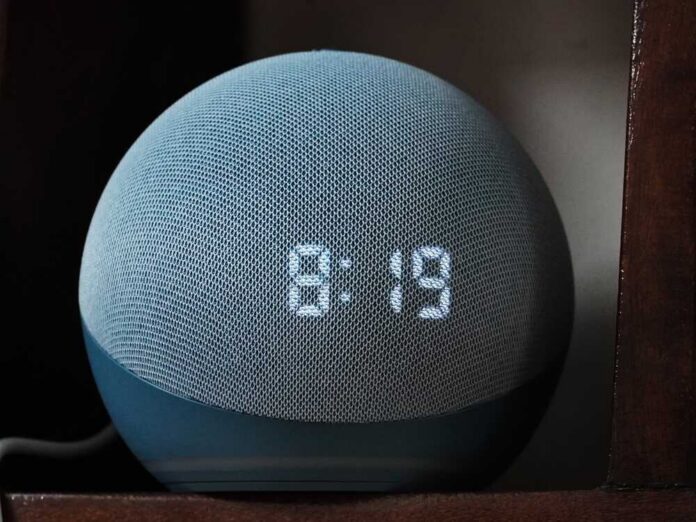
Amazon just made Alexa+ free on compatible Fire TVs, and the price tag is not the only thing that changed.
Story Snapshot
- Alexa+ arrives free on select Fire TVs, leaning more on cloud processing for voice.
- Amazon says devices listen for a wake word, then send audio to its cloud for handling.
- Recordings are kept by default unless you change settings or delete them.
- Amazon ended a local option last year as it rolled out generative artificial intelligence features.
What Alexa+ on Fire TV actually changes
Alexa+ brings generative artificial intelligence features to Fire TV search and controls. That means more natural questions, better results, and new context-aware help. Amazon linked this push to more cloud processing.
The company disabled a feature in 2025 that once kept some voice handling local. It said the shift supported new generative artificial intelligence tools. Reports at the time said the change covered Echo speakers, smart displays, and Fire TV units.
Learn out. Amazon makes Alexa+ free on compatible Fire TVs https://t.co/vcXYqmvXEA #FoxNews #tech #digital #privacy #crypto #ai
— Kohei Kurihara – Privacy for all together 🌍 (@kuriharan) September 1, 2026
Alexa on Fire TV still works the same core way. The device listens for your chosen wake word, then records what you say and sends it to Amazon’s cloud for processing.
Amazon’s help page says this plainly and frames the wake word as the gate. The company also says you can review, hear, and delete your voice recordings. Those tools sit in the Alexa Privacy Hub and in your account settings.
The default settings you should expect
Amazon’s policy history shows the default favors keeping voice data unless you change it. In a letter to Congress, Amazon said it retains customers’ voice recordings and transcripts until the customer chooses to delete them.
The company later added a toggle to avoid saving recordings at all, which causes recordings to be deleted after processing. These choices confirm two truths: audio still goes to the cloud, and storage stops only if you opt out.
Fire TV adds a second layer beyond voice. Amazon provides device-level privacy controls for data about how you use the television and its apps. You can opt out of processing device usage data for marketing and product improvement.
You can also opt out of app usage data collection and turn off interest-based ads. These settings live under Preferences, then Privacy Settings, on Fire TV devices, or in your Amazon account. That limits profiling, not voice routing.
How cloud-first voice affects your living room
Cloud processing boosts features but widens exposure. Your requests transit the internet. Amazon holds them by default. The company says you can review and delete them, set retention lengths, and even delete by voice. That is useful, but the burden sits on you.
The best path is to set “do not save voice recordings,” then trim retention and disallow use of recordings to develop new features or for manual review. That aligns with common sense and family privacy.
Some readers will ask if Alexa is “always on.” Amazon says devices listen for a wake word by default. That is not the same as a live stream to the cloud. It does mean a microphone is active to detect the trigger. The end of the local option matters here.
When Amazon dropped that feature to back generative artificial intelligence, every spoken request after the wake word went to the cloud and then was deleted or stored based on your choices. That trade-off should be explicit.
Practical setup steps that respect your time
Start with the Alexa Privacy Hub. Turn on “do not save voice recordings.” Set auto-delete to the shortest window if offered. Disable use of recordings to develop new features and manual review.
On Fire TV, open Settings, go to Preferences, then Privacy Settings. Opt out of device usage data. Opt out of app usage data. Turn off interest-based ads. These moves do not break Alexa+, but they cut data trails while you try the free upgrade.
What to watch next as Alexa+ rolls out free
Amazon’s controls-and-deletion message is clear and helpful. The company’s own pages explain how to see and erase your voice history. The sticking point is the default. Voice goes to the cloud after wake word. Storage continues unless you say otherwise.
That remains true on Fire TV with Alexa+. The free price draws you in; the settings decide your risk. Check them once now, and again after big updates. Treat it like locking your front door—simple, fast, and non-negotiable.
Sources:
foxnews.com, aboutamazon.com, digprjsurvey.amazon.com, coons.senate.gov, askalexa.com, amazon.com, cnet.com, npr.org